Free on Android
One grocery list. Urdu and English together.
Write it your way. Share it with family. Keep both names on the same item, so whoever goes shopping can read the list.
Get it onGoogle Play See how it works
18 features, every one of them in the build you can download today
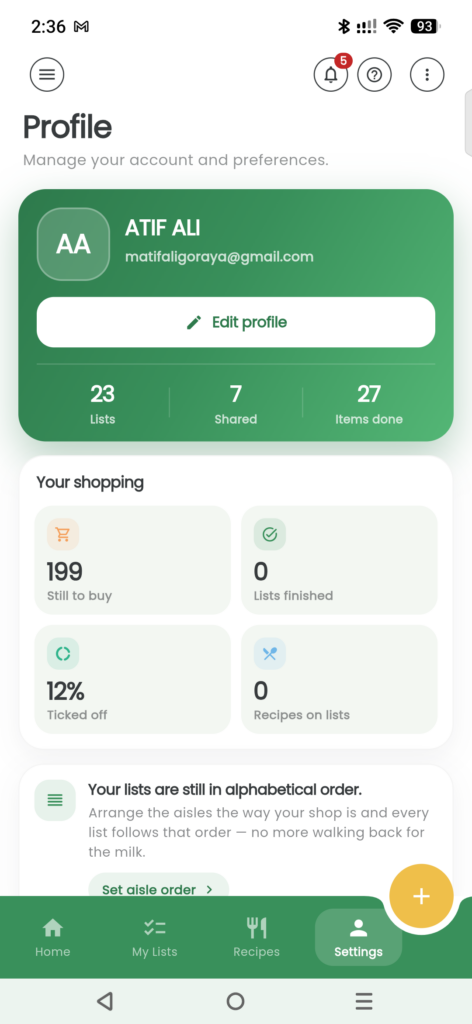
- Both names together Urdu and English on the same item.
- One shared list See what your family adds and ticks.
- Less list typing Add by voice, barcode or recipe link.
- Shop without signal Keep ticking; sync when you reconnect.
- 18 features, all of them shipped
- Free no ads, no paid tier
- Offline keep ticking; sync when you reconnect
- No card no payment details, ever
Shop Smarter
How Groceria works
One list, from the kitchen table to the checkout.
-
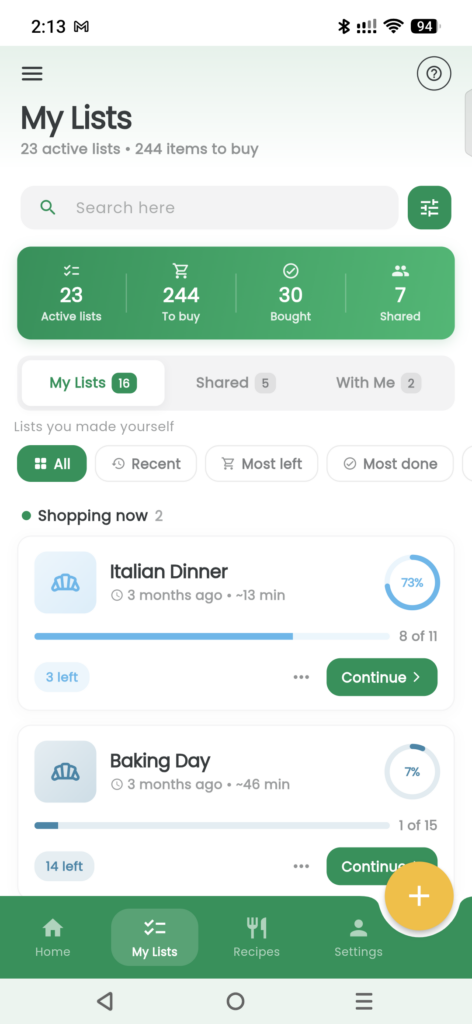
Make your list
Start a list for the weekly shop or a few things you need today.
-
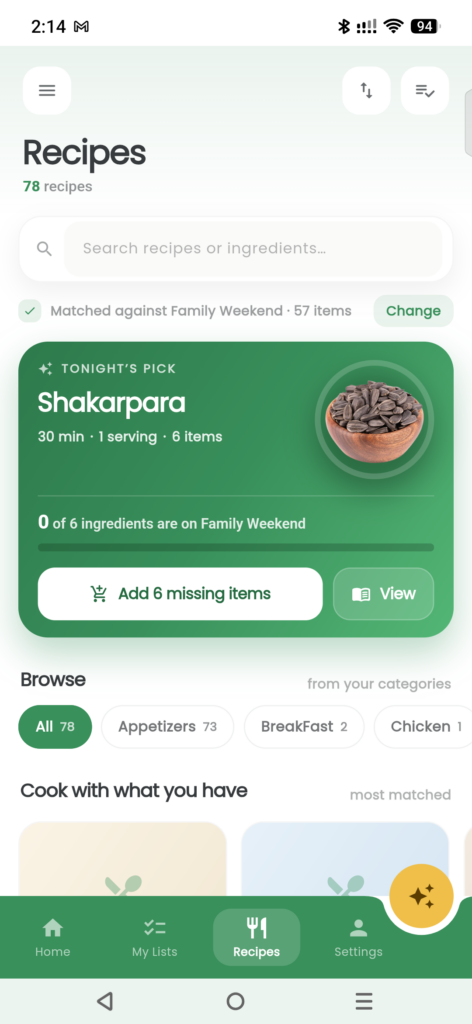
Add what you need
Browse the catalogue, say an item, scan a barcode or paste a recipe link. Keep Urdu and English names together.
-
Share the shop
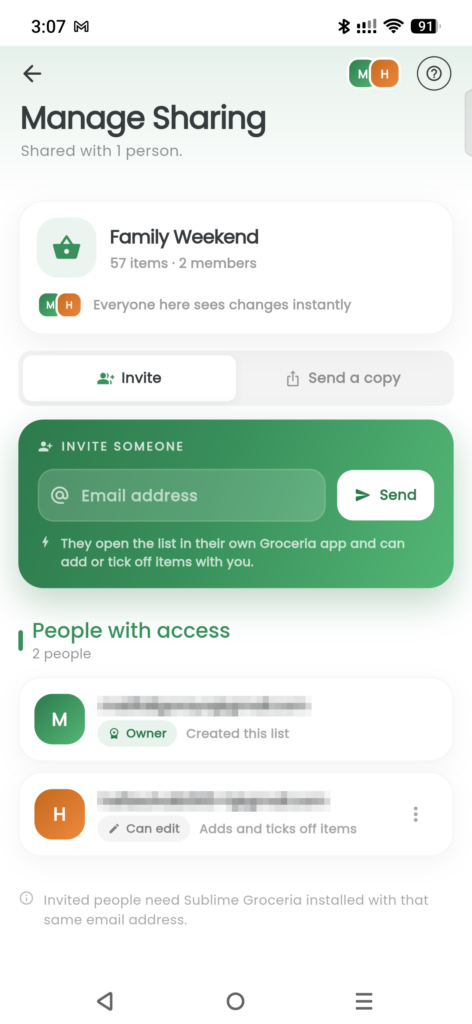
Invite family by email. Items group by aisle, and everyone on the shared list can see what has been ticked.
-
Tick as you go
Mark items bought, even without signal. Your changes sync when you reconnect.
Every Feature
Look inside the app
Pick a part of the app and see what it actually does.
-
Lists that keep themselves
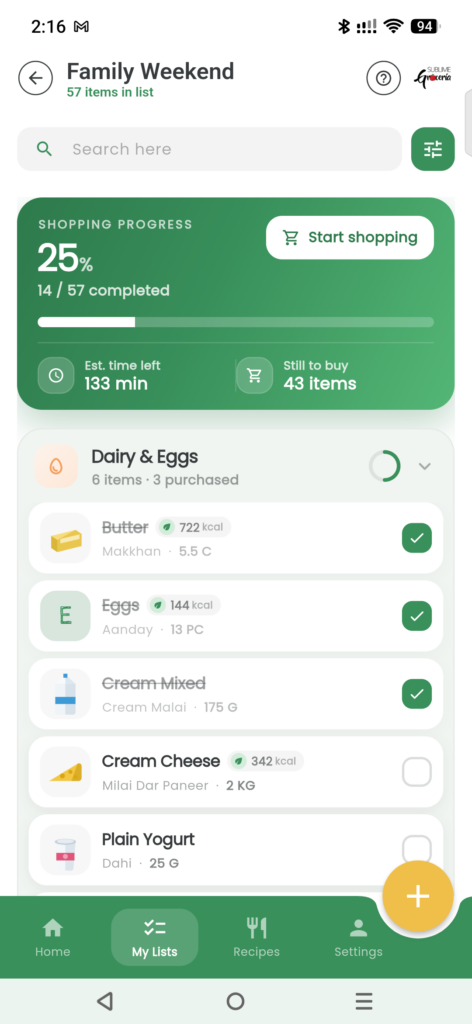
Keep separate lists for the weekly shop, a family meal or a quick stop for essentials. Lists you own and lists shared with you have their own tabs. Open the one you need and check its progress as items are ticked off.
-
What you buy often, offered back
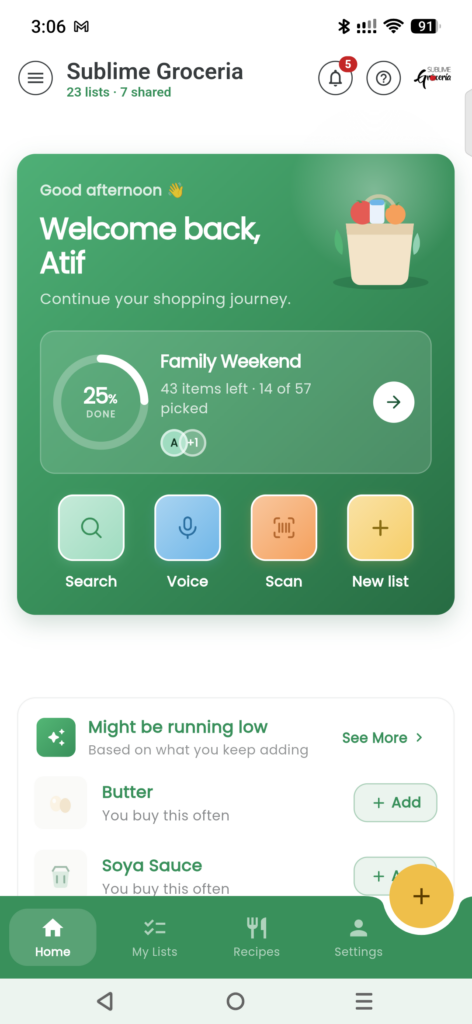
Find frequently bought items on Home, with a reason for each suggestion. These come from your own list history, so you can see why an item is being offered. A new account starts with catalogue-popularity suggestions until it has list history of its own.
-
On your home screen
Put the list you are working on on your Android home screen. The widget gives you a way into that list without first finding the app among your other icons. Use it to get back to the shop you are planning during the day.
-
Open it with a fingerprint
Use fingerprint sign-in on your phone when you want to open Groceria without typing a password each time. It gives you another way to get to your lists, whether you are checking what is needed at home or opening the app in the shop.
-
Free, and no advertising
Groceria is free to use, with no advertising and no paid tier. There is no subscription to manage or trial that runs out. You never need to provide payment details, so you can keep your attention on the list you came to write.
-
A catalogue, not a blank box
Start with the everyday items already in the catalogue, grouped by aisle. Browse for what you need instead of typing every name from scratch. Catalogue items carry their own sizes, units and nutrition information, giving you more to work with when building your list.
-
Say it instead of typing it
Use voice entry when you would rather speak than type. Say the items you need and add them to your list as you go. It keeps listening between items, so you do not have to start a separate voice entry for every item.
-
Scan what is in the cupboard
Use the packet in your cupboard to help build the next shopping list. Scan its barcode to add the item, with its size and unit filled in. Check what you need for the shop without typing the packet details out again.
-
Your own items
If the catalogue does not have something your family buys, add your own item. Give it the name and unit you use, then find it again through search. Your saved items can also appear in suggestions, alongside the catalogue items you use.
-
Urdu and English, on the same item
Keep an Urdu name and an English name on the same grocery item. One person can write the list and another can read it in the language they prefer. Both names stay with the item, including when the list is shared with family.
-
Know what you buy
Open an item's details to check its nutrition information while deciding what to buy. You can look at the information attached to the item before adding it to your shop, rather than waiting until you are home with the packet in front of you.
-
Recipes become lists
Paste a recipe link to bring its ingredients into your shopping list. Groceria reads the recipe page's own structured ingredient data, published as JSON-LD. The ingredients come from what that page provides; a page without readable ingredient data cannot supply an ingredient list this way.
-
Know when something changes
Check the bell on Home for changes to shared lists: items added, items ticked and who made the change. Notifications can reach you while the app is closed, so you can keep up with the family list without leaving it open all day.
-
Sorted the way you shop
Read your shop by aisle rather than by the order you remembered things. Groceria groups items together and keeps bought items apart from those still needed. As you tick things off, you can see what remains without searching through everything already in the basket.
-
Works with no signal
Your lists stay on your phone when the signal drops. Keep adding items and ticking off what you have bought, including in parts of the shop with no reception. Your changes sync when you are connected again, so the list can catch up afterwards.
-
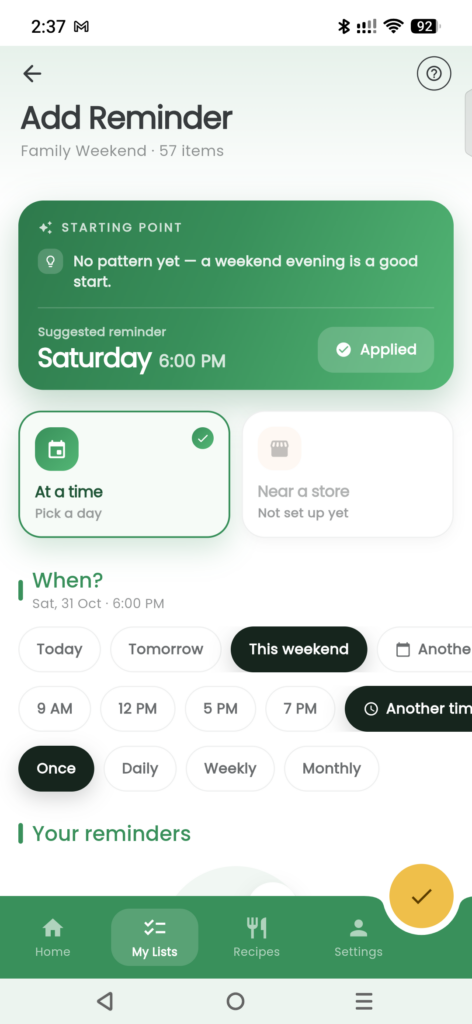
Reminders
Set a day and time for a list when there is a shop you need to remember. Choose a one-off reminder or repeat it every week. Keep the reminder with the list, so the things you need are ready when it is time to go.
One household One list
A week of the family shop
Plan the family shop
Build one list together, with Urdu and English names on the same items.
Add the forgotten bits
Remember something else? Add it to the shared list before anyone heads out.
Turn dinner into ingredients
Paste a recipe link to add ingredients from the page's own structured data.
Shop and tick together
Follow the aisles, tick what you buy and keep going if the signal drops.
Good to Know
Questions people ask
Can one item have Urdu and English names?
Yes. An item can carry both names at the same time. The person writing the list and the person shopping can each read the name they prefer, including on a shared list.
How do I share a list with family?
Invite them by email to use the same list in Groceria. Additions and ticks appear for the people sharing it. If someone only needs a readable copy, send the list as text through WhatsApp or SMS instead.
Can I use my list without a signal?
Yes. Your lists stay on your phone. You can add items and tick off purchases without reception. Changes sync when you reconnect; other people will see those changes after that connection returns.
Where do the suggestions come from?
Suggestions use your own list history and show a reason for each item. A new account uses catalogue-popularity suggestions until it has its own list history.
How does a recipe link become a list?
Groceria reads the recipe page's own structured ingredient data, published as JSON-LD. It uses the ingredients that page provides. A page without readable ingredient data cannot supply ingredients through this import.
What does a barcode scan fill in?
Scanning a packet's barcode adds the item with its size and unit filled in. Those packet details are different from how much you want to buy.
Can I add something missing from the catalogue?
Yes. Save your own item with its name and unit. You can find it again through search, and it can appear in suggestions alongside catalogue items.
Is Groceria free?
Yes. Groceria is free on Android, with no ads, paid tier or subscription. You never need to provide payment details.
Write the list everyone can read.
Get Sublime Groceria on Android. Keep Urdu and English together, and share the next shop with family.